
Cast
With Ente Cast, you can play a slideshow of your favourite albums on your Google Chromecast TVs or any other internet-connected large screen devices. You can also manage multiple active cast sessions, making it easier to switch between screens or control more than one ongoing cast.
Get Started
Open Ente on the web or on your mobile device.
Select the album you want to play on your large screen device.
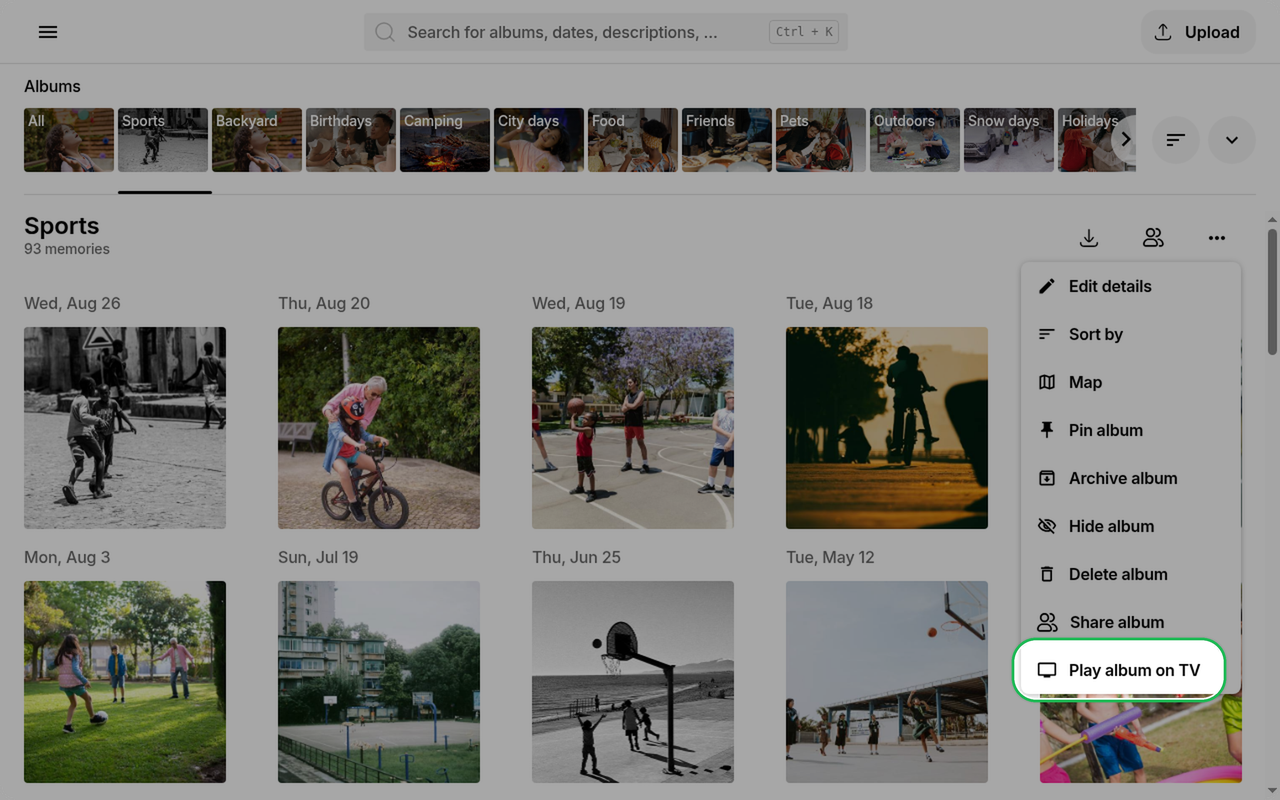
Click "Play album on TV"/"Cast album" in the album menu.
On the web, you can find this option in the three dots menu on the right hand side.
Choose how you want to pair your device with your large screen device.
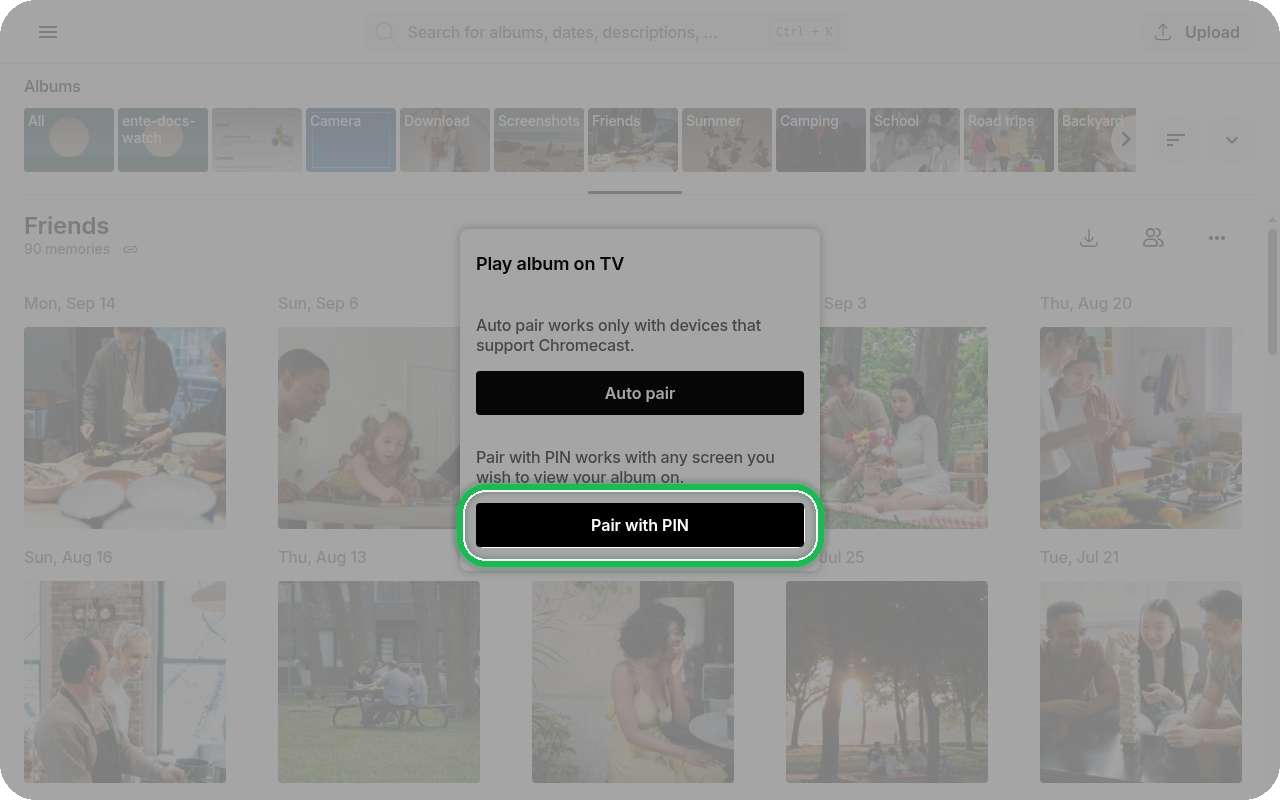
In the mobile app, Auto Pair discovers compatible Cast devices on your local network. Select a device from the list to connect. On iOS, allow the local network permission when prompted so Ente can discover devices.
On Google Chrome and other Chromium browsers, Auto Pair prompts you to select a Chromecast-supported device on your local network. This option requires connecting to Google servers to load necessary dependencies, but does not transmit sensitive data such as your photos through Google servers.
On all browsers, you'll see the option to "Pair with PIN". This option works with all devices, Chromecast-enabled or not. You'll be required to load up cast.ente.com on your large screen device.
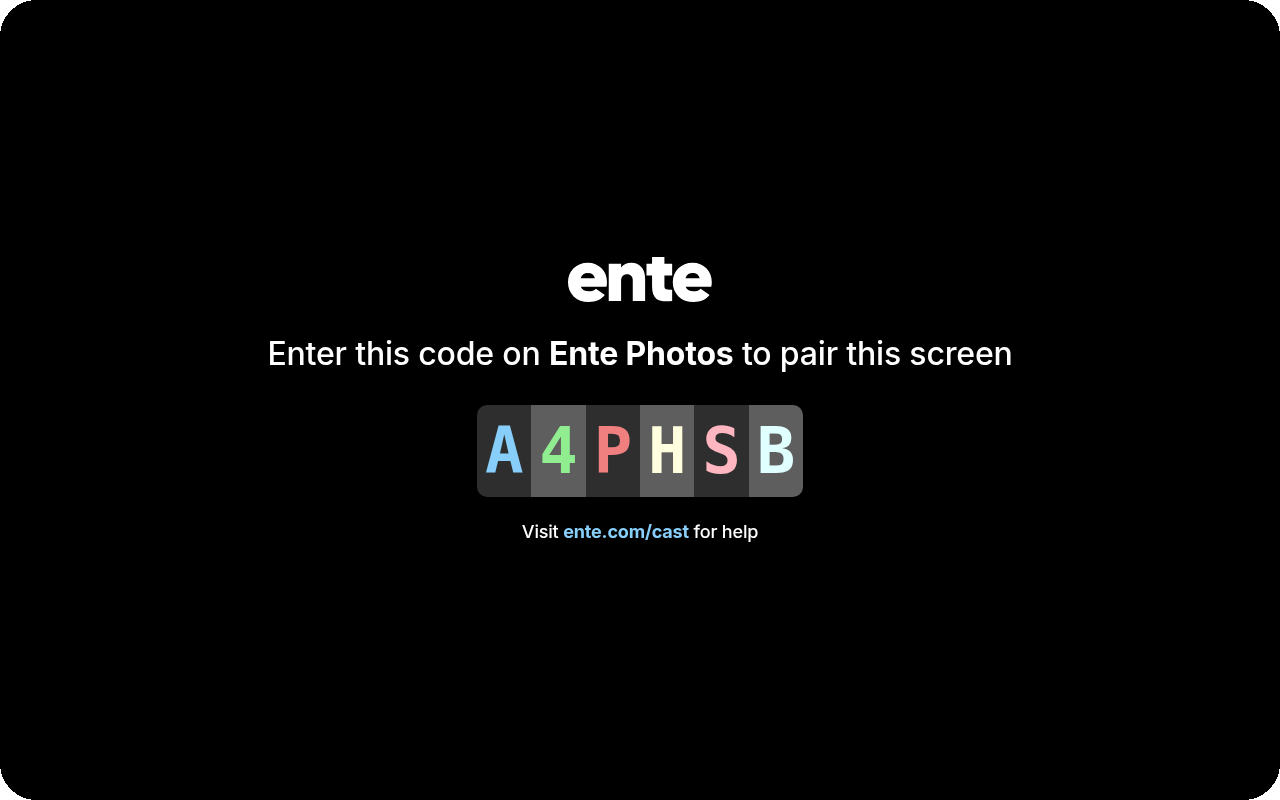
Enter the PIN displayed on your large screen device into the input field on your mobile or web device.
On your large screen device, you'll see the following screen.
- Once you enter the correct PIN, you will see a screen on your TV with a green checkmark confirming the connection. Your photos will start showing up in a bit.
Managing cast sessions
After you start casting, Ente lets you return to the cast controls to manage your active sessions.
- Reopen the cast controls from the album you started casting from.
- Switch between active cast sessions if you have more than one screen connected.
- Disconnect a screen when you no longer want that session to keep playing.
This is especially useful if you cast the same album to different screens at different times, or if you accidentally leave an older cast session running.
Pairing options explained
Auto Pair
- Available in the Ente mobile app and in Chromium-based browsers
- Automatically detects compatible Cast devices on your local network
- On iOS, requires local network permission for device discovery
- In Chromium browsers, requires connecting to Google servers to load necessary dependencies
- Does not transmit sensitive data such as your photos through Google servers
Pair with PIN (All browsers & devices)
- Works with any browser and any large screen device
- No Chromecast required
- Load cast.ente.com on your large screen device
- Enter the displayed PIN to establish connection
- Universal compatibility